Keep the same daily Sudoku from screen to paper
A daily Sudoku is easiest to return to when its date, difficulty and puzzle ID stay together. Those three details identify the board you started, the walkthrough you may inspect and the answer sheet you may print. Switching language or opening the same published date should not give you a different puzzle.
This guide covers the practical journey: choose a daily board, keep your progress on this device, understand what the records mean, and make a clear paper copy. For general rules and first placements, use the beginner’s guide. To start now, open the daily challenge or the printable resources.
Understand the daily Sudoku date before starting
The daily Sudoku date follows UTC. A new date begins at 00:00 UTC. The display can show the corresponding update time in your local timezone. In Japan and South Korea that is 09:00. United States update times depend on your timezone and daylight saving time, so a universal “midnight local time” would be misleading.
When UTC changes while you are playing, the game announces that the new challenge is available. It does not replace your current board. Finish yesterday’s game if you prefer, or save it and choose today’s board. The puzzle date remains the date attached to that board, regardless of when you finish it.
Each available date has an Easy, Medium and Hard puzzle. The boards are fixed by the date manifest. Future dates are not available, and the archive starts at the actual release date. A supply of prepared future puzzles is not an archive of challenges that were already open.
Match your daily Sudoku ID as well as its difficulty
Before consulting a solution or printing an answer, compare the date, difficulty and ID. “Medium” alone does not identify a puzzle. A Medium free-play board and a Medium daily board can have completely different clues.
Keep the ID on the paper. The printed link lets you reopen the identified board, and a separately printed answer should carry that same ID. A mismatch is a reason to stop and find the right answer page rather than trying to force a different grid to fit.
For ordinary free play, New puzzle selects from the verified pool and prioritizes puzzles not completed on this device. The pool has a finite number of independent boards; after a full round it can cycle. Daily Sudoku uses its fixed date mapping instead of random selection.
Save and resume daily Sudoku on this device
Your current entries, notes and elapsed active time are stored locally. Changing difficulty saves the current board so that you can return to its progress. The Free and Daily modes retain their own boards. Changing language preserves the puzzle identity and your device’s progress.
Local storage is not an account. Another browser, another device or cleared site data may not have your saved game. If the browser prevents saving, the game reports the limitation; keep the tab open or print your current position if you need a durable copy. You can still play without a successful save.
Pause hides the board and stops active timing. Time in a background tab is also excluded. You can hide the displayed timer if it distracts you; the game does not require a target completion time.
Read daily Sudoku completion records honestly
A completed daily Sudoku has a valid filled grid. Opening an answer or playing through a published walkthrough does not record the active game as completed. The game distinguishes completion with hints from completion without hints so that your local history describes what you actually did.
The streak counts consecutive completed puzzle dates. If today’s puzzle is unfinished, the current sequence can still end at yesterday. Several completed difficulties on one date count as one date. Finishing an archived puzzle later can fill a missing original date and extend that sequence; the record uses the puzzle’s date rather than the time you finished it. It therefore describes completed puzzle dates, not proof that you logged in or solved a new board on every calendar day.
Replaying a finished puzzle lets you revisit it without manufacturing another new day. The archive and local records help you navigate; they are not a global leaderboard or a claim about other players’ times.
Decide how much a daily Sudoku walkthrough should reveal
A live Hint gives the next supported step from your current board. The full walkthrough starts from the original clues and includes every placement and candidate elimination in its published logical route. It can therefore reveal much more than you intend to see.
Open the daily Sudoku solution only after considering that difference. Once opened, use Previous and Next, or switch Before and After, to compare one step. On a narrow screen, the board stays readable while you change its state. Viewing or closing the walkthrough leaves your active entries, notes and time alone.
The teaching view below illustrates the distinction. It shows a genuine first move on an original Easy board, with the candidate reasoning visible. The after view records the placement. Neither is a record that you completed that puzzle yourself.
Board overview
View the whole grid first. Zoom in to read candidates and their coordinates.
Board overview
View the whole grid first. Zoom in to read candidates and their coordinates.
Print a daily Sudoku original, progress or answer deliberately
For a clean paper challenge, print the original clues. That output omits your entries and notes. It gives you a fresh copy of the same puzzle rather than a partly solved board. If you want to continue on paper from the current position, explicitly choose the progress version instead.
Print the answer separately when you want it. Keeping the solution on another page makes accidental spoilers less likely and leaves room to work on the puzzle. Match the ID before using that page.
The printing controls support A4 and US Letter. Check preview for the full outside border, thick box lines, readable digits and a visible ID. Navigation, advertising and game controls should be absent from the print output. The Sudoku clues and region lines remain understandable in black and white, without relying on colored backgrounds.
A browser’s “Save as PDF” creates a file from that print job. The printable resource page separately lists real downloadable puzzle-book files and their formats. Choose the appropriate method for the task: one identified daily Sudoku for your own paper session, or a prepared collection with its matching answer pages.
Compare real PDF page formats
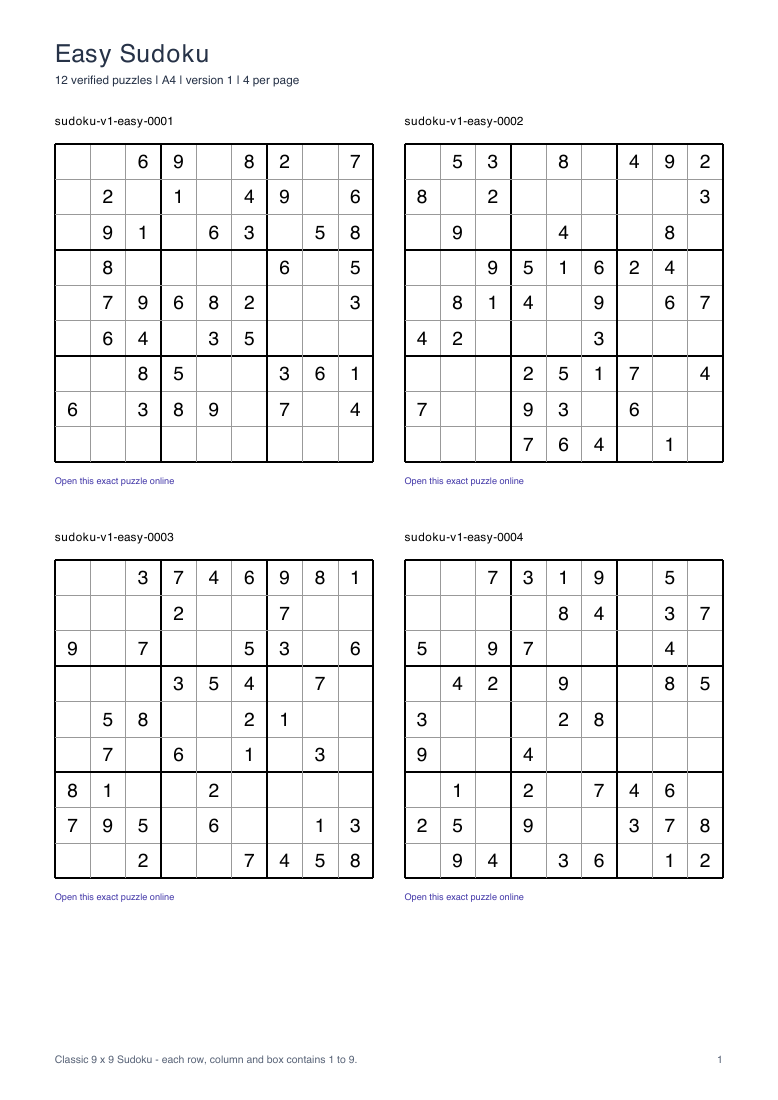
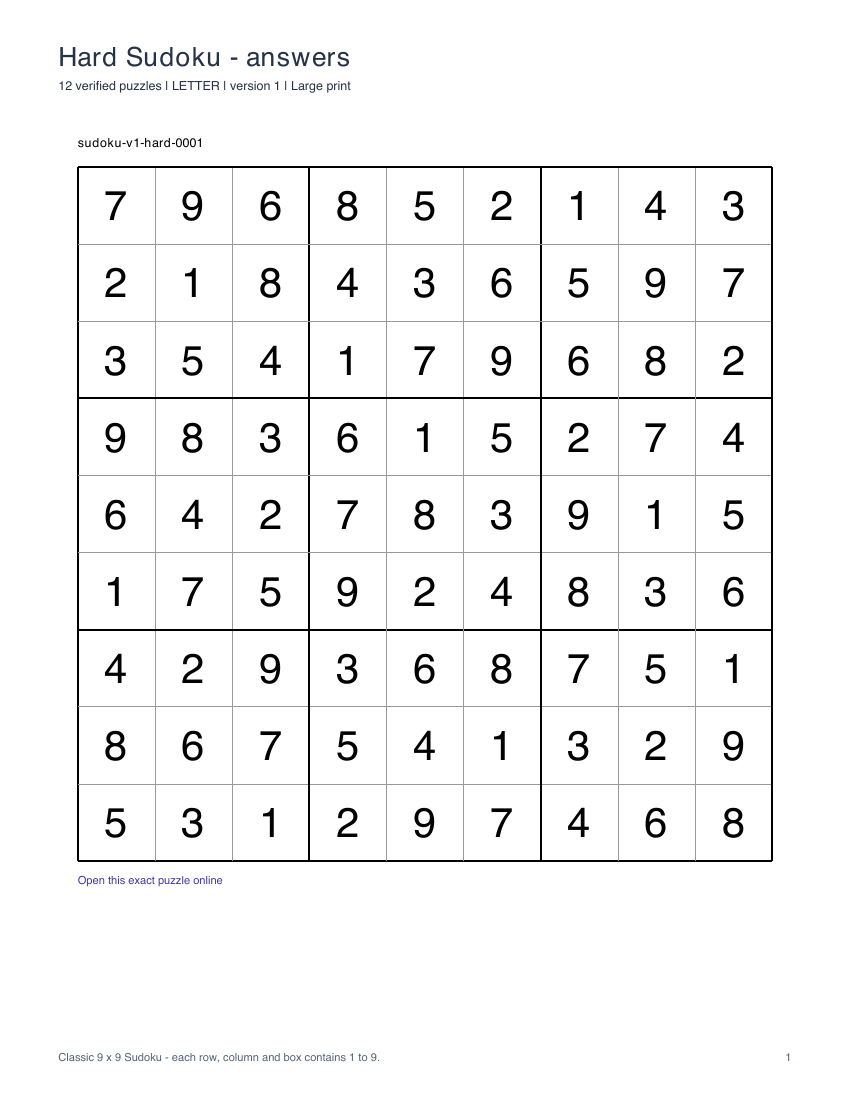
These previews come from the downloadable books. The A4 sample places four original Easy puzzles on one page, with a separate ID above every grid. The US Letter sample uses one large-print Hard answer per page. They illustrate different layouts, not two copies of today’s daily board.
Show the US Letter answer-layout preview (reveals a sample solution)
If preview clips the board
First select the intended paper size. Check orientation and scaling, then examine all page edges again. An unsuitable custom scale can push the board outside the printable area. Restore the standard scale or choose fit-to-page if the preview is still clipped. Avoid shrinking until the small digits become difficult to read.
Disable browser-added headers and footers if they create unwanted extra lines or pages. Check that the answer begins on its own page rather than sharing the bottom of the puzzle page. Printer margins vary, so preview remains useful even when the website’s layout has been verified.
If the output is faint, judge the black region lines and digits first. Background colors are optional decoration, not the information needed to solve the puzzle. The downloadable large-print and blank-grid formats on the resource page serve distinct paper needs; use their stated page size instead of assuming every file follows your current print setting.
Two practical checks and a solving exercise
Check 1: You printed a Medium puzzle dated October 9. Your answer sheet says Medium but has a different puzzle ID. Can you use it? No. Difficulty is a category, not an identity. Retrieve the answer attached to the printed ID before comparing any entries.
Check 2: Preview shows the outside right border disappearing. Should you erase clues to make it fit? No. Keep the verified grid intact, correct the paper size or scaling and preview again. If an unexpected answer page appears, check the answer-output selection before printing.
For a small solving task, inspect the column-4 example below. Identify the forced digit and explain why the other cell candidate does not remain possible.
Loading puzzle…
Answer: r1c4 = 2 because column 4 has no other possible location for 2. Its candidate 5 is removed by that unit-wide argument. You can practice this on paper without opening a complete answer sheet.
When you return to daily Sudoku, start with the date and ID, then choose how much help or paper output you need. Your saved board, live hints, full explanation and print are different views of the same identified puzzle. Keeping their purpose clear lets you use each without losing your place.