






Play our free browser version of 2048 in three modes. Classic starts on a 4×4 board and aims for 2048. Easy gives you a 5×5 board with the same target; Challenge uses a compact 3×3 board and a 512 target. Slide the whole board and merge matching numbers. There is no timer, download or account. Use a keyboard, swipe the board or tap the direction buttons; each mode has one-step undo and its own browser save.
Start with your first few moves
On your first visit, Classic 4×4 opens with two tiles. You can choose Easy or Challenge above the board. Choose a corner, then press an arrow key or tap a direction. Watch every row shift together: you move the whole board, not an individual tile. After a useful merge, look for the next matching pair before moving again.
Score shows points from merges; Best is the record for the selected mode; Moves counts successful inputs. Your target is 2048 in Classic and Easy, or 512 in Challenge. Read the rules below for a quick reminder, and enable sound only if you want it.
Choose your board size and target
All modes use the same slide, single-merge and random-spawn rules. The amount of working space changes, so choose a board for the decision you want to practice rather than comparing scores across modes.
Classic
- Board
- 4×4
- Target tile
- 2048
What to practice
16 cells: learn corner control and build an ordered edge on the familiar board.
Easy
- Board
- 5×5
- Target tile
- 2048
What to practice
25 cells: use the extra working room to build partners and see how a long chain connects.
Challenge
- Board
- 3×3
- Target tile
- 512
What to practice
9 cells: learn the cost of each no-merge slide and protect the next reachable pair.
Switching keeps your progress in each mode. Best and one-step Undo are separate, and a refresh returns to the mode you last selected. See the strategy guide for a comparison of what each board teaches.
How to play 2048
- Move every tile up, down, left or right with the arrow keys or WASD. On a touchscreen, swipe on the board; the four direction buttons also work with a mouse or touch.
- Matching tiles merge into their doubled value: 2 + 2 = 4, then 4 + 4 = 8. A tile can merge only once during one move.
- A move that changes the board adds one tile in a random empty cell: a 2 with 90% probability or a 4 with 10%. An input that changes nothing adds no tile.
- Create the selected mode’s target tile to win: 2048 in Classic 4×4 and Easy 5×5, or 512 in Challenge 3×3. Choose Keep playing to continue the same board beyond that target. The game ends only when there is no empty cell and no matching horizontal or vertical neighbors.
A merge example: why four 2s do not become 8
On the Classic 4×4 board, slide the row [2, 2, 2, 2] left. Before a new tile appears, it becomes [4, 4, empty, empty]. The two new 4s cannot merge again in that same move. The move adds 8 points: 4 for each merge. A later left move can turn those 4s into 8. The one-merge-per-tile rule also applies to the other sizes, although a 3×3 row only holds three tiles.
Your score is the sum of the values created by merges, rather than the largest tile or the total on the board. Creating one 128 tile adds 128 points.
Three useful 2048 tips
- Choose one corner for your largest tile. Favor moves toward that corner, and check whether a move will pull it away.
- Build a row of large tiles in descending order toward the corner. Keep smaller tiles in the space where you can combine them.
- Protect empty cells. Sliding without merging uses an empty cell when the new tile appears, so look for moves that open space and keep equal tiles reachable.
Read the full 2048 strategy guide for corner control, snake ordering and recovery examples.
Undo, restart and browser saves
Use Undo immediately after an accidental move. It restores one step in the current mode, removing that move’s new tile and restoring the earlier score and move count. It cannot rewind older turns repeatedly or undo a move in a different mode. Best remains that mode’s saved record.
Switching modes keeps each board and resumes the mode you select. Refreshing remembers the last selected mode and can resume its board and one-step undo when local storage is available. New Game replaces only the selected board after confirmation and keeps its Best. Existing Classic saves are retained. Saves stay in this browser; clearing site data or changing browsers or devices does not transfer them.
2048 game FAQ
Is this 2048 game free?
Yes. All three modes are free in a desktop or mobile browser without installing an app or creating an account. Classic uses the original 4×4 rules; Easy 5×5 and Challenge 3×3 are this site’s additional modes.
How does Undo work?
Undo restores the current mode’s board, score and moves from before its most recent successful input, removing the tile spawned by that input. It restores one step and cannot rewind a chain of older turns. Each mode keeps its own undo point and best score; Undo does not switch modes.
Does 2048 save my game?
When browser storage is available, each mode saves its own board, score, moves, continuation state, one-step undo and best score. The last selected mode is remembered on refresh, and existing Classic saves are retained. Switching modes resumes their saved boards. Clearing site data or using another browser or device does not preserve those saves.
Is a full 2048 board always game over?
No. If two equal tiles are horizontal or vertical neighbors, a move can still merge them. The game is over when the board is full and no such pair remains. Diagonal tiles cannot merge directly.
What target do I need in each mode?
Classic 4×4 and Easy 5×5 need one 2048 tile; Challenge 3×3 needs one 512 tile. Reaching that number in the score is not enough: the target must appear on a single tile. Choose Keep playing after winning to continue the same board.
Why do new tiles appear as 2 or 4?
This game uses the classic random rule: after a successful move, one random empty cell receives a 2 with 90% probability or a 4 with 10%. The next position and value are not shown in advance. Good planning improves your chances but does not guarantee a win.
Which 2048 mode should I choose?
Start with Classic 4×4 for the familiar 2048 challenge. Easy 5×5 has 25 cells, giving more room to practice ordering and building partners. Challenge 3×3 has only nine cells and a 512 target, so empty-space decisions matter sooner. Each mode saves its own Best; scores from different board sizes are not equivalent.
More puzzles to try
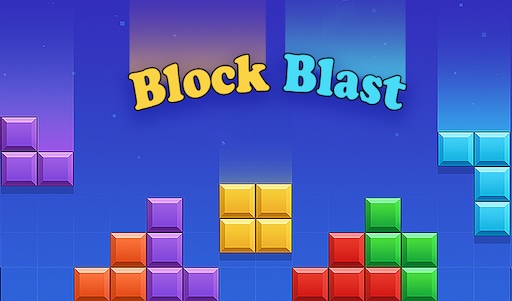
Practice a different kind of planning with Block Blast · Orchard Drop fruit merge · Water Sort Puzzle.
About this version
The original 2048 was created by Gabriele Cirulli. This site offers an independent browser implementation with its own art, sound and one-step undo. Visit the original 2048 project.